
Workshops buying parts from multiple suppliers may have situations where the VAT on the supplier’s invoice doesn’t match the VAT on the parts order in DragonDMS. This is due to the different ways that VAT can be calculated on invoices.
Some suppliers will calculate the VAT on their invoices per line and then total, while others calculate the VAT on the total order value.
If the VAT on your supplier’s invoice doesn’t match the VAT calculated in the parts order in DragonDMS, you can now add a VAT adjustment.
This is controlled by a new user permission ‘Can edit VAT amount on parts orders‘.
Employee user permissions can be edited by going to Settings > System > Employees and double clicking on the employee record. From there, click on the Access Rights tab and then on the Parts tab.
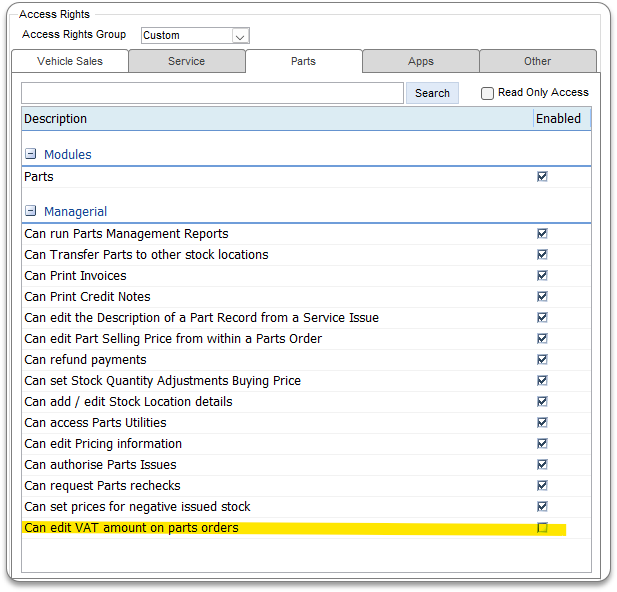
This must be enabled for users to be able to adjust the VAT.
To add a VAT adjustment to a parts order, firstly, all of the parts on the order must be received. Users with the permission to edit VAT, can then click on the + button next to VAT Amount, and enter the VAT amount.
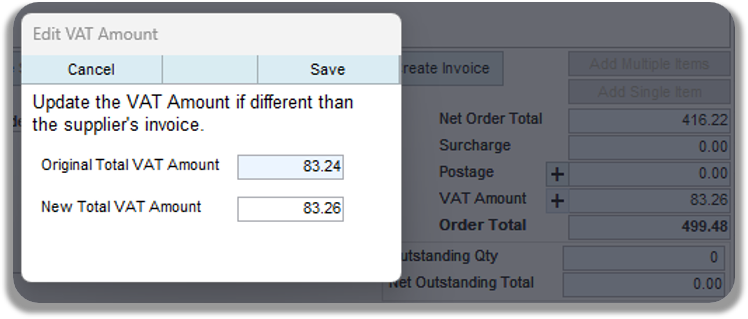
For users that integrate to Sage50, the purchase invoice will post with the original VAT value, and a separate transaction will post for the VAT adjustment. This transaction will either be a purchase invoice (PI), if the new VAT amount is greater than the original VAT amount, or a purchase credit (PC) if the new VAT amount is less than the original VAT amount.
This new feature allows users to match their supplier invoice exactly in DragonDMS, and have these figures post to Sage50, reducing the requirement for manual intervention in Sage50 to adjust the VAT.
Feature added in DMS v26.0018