
This release of Dragon2000 Portal contains the following new features:
Improved vehicle record styling, uploading attachments for printing, templated SMS messages, service overviews for Workshop Loading and Jobs in Progress, and a number of improvements and small bug fixes.
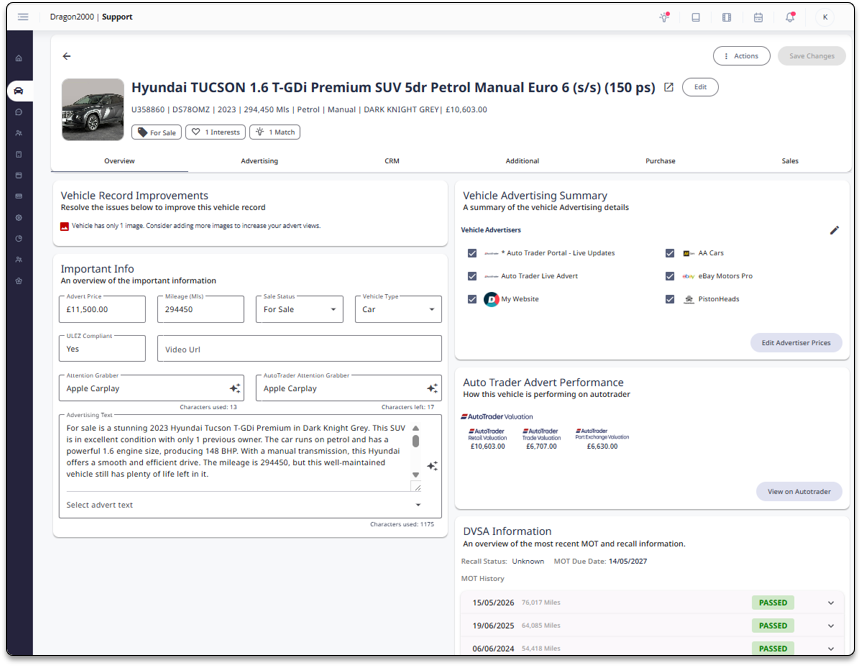
Improved vehicle record styling
The style of vehicles records have been improved to a cleaner style, optimising the layout of the pages. The underlying functionality remains the same.
Attachments
PDF documents can be uploaded and flagged to be printed along with the following documents: Vehicle Sales invoices and/ or Vehicle Sales Order Forms.

This allows dealers to upload any documents to automatically print along with invoices, or Order forms, simply upload the PDF by going to Settings > System Settings > Attachments and click on Add New Attachment File.
This feature is already in DragonDMS, any attachments that you have setup in DragonDMS will be visible in Dragon2000 Portal.
SMS Templates
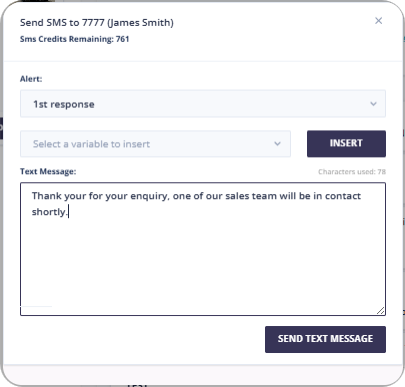
For users of both DragonDMS and Dragon2000 Portal, you can now send templated SMS messages directly from Dragon2000 Portal.
The templates still need to be created in DragonDMS, but can now be sent from contact records, lead records and vehicle records from within Dragon2000 Portal.
Service Overview
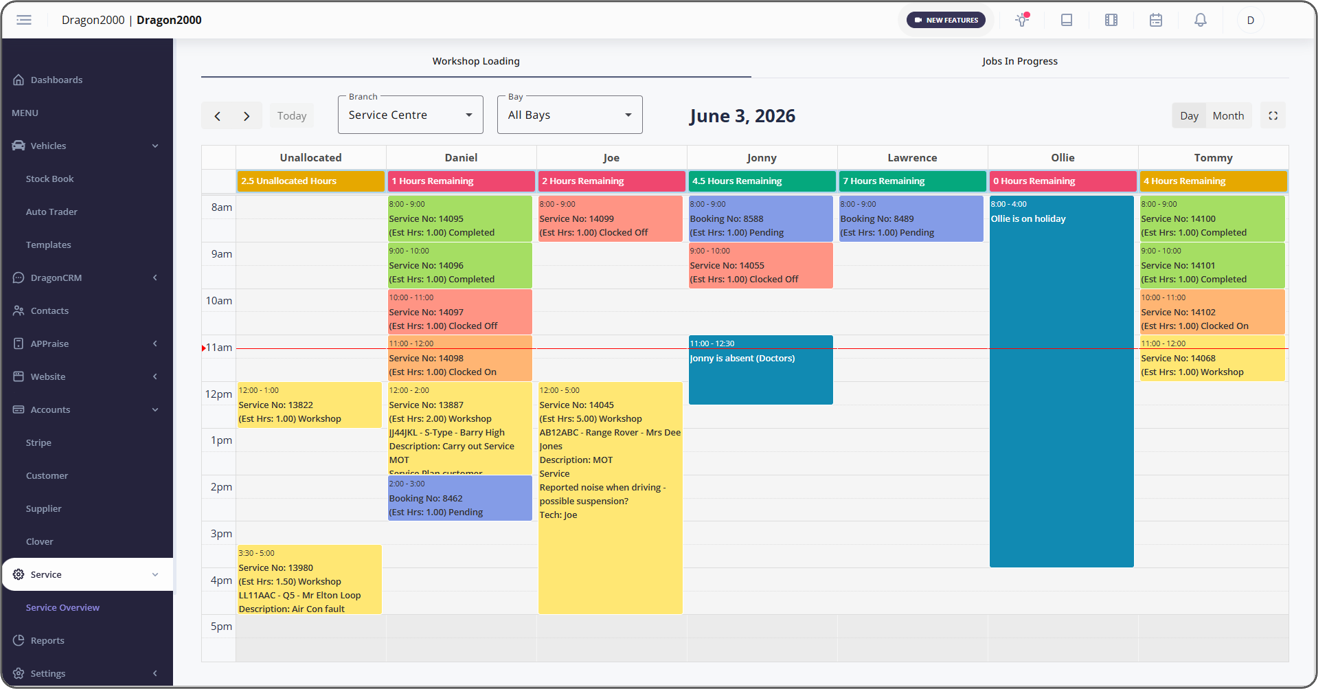
Service overview boards have been added to Dragon2000 Portal. Users with a workshop running in DragonDMS will be able to view job progress in real-time.
Workshop loading
The workshop loading screen shows the jobs allocated to each bay, the screen refreshes every 5 minutes. The colour of each job links to the service status of the job. The colours of the statuses are configured in settings within DragonDMS.
Jobs in Progress
The Jobs in progress screen displays all the open jobs grouped by status, for each job you can see a progress bar tracking the hours clocked to the job. The progress bar will display in red if the hours taken exceeds the hours estimated. The job will move from left to right as they are being worked on. This screen refreshes every minute.
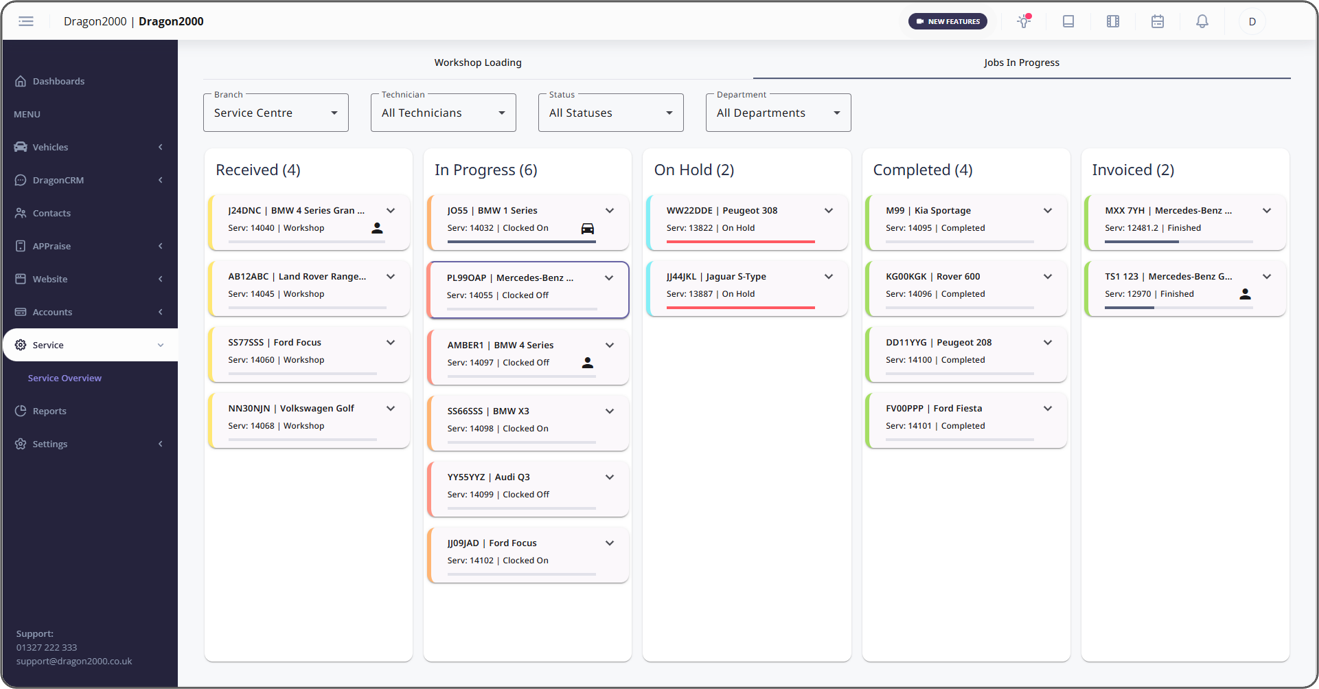
Dealers using the Workshop app will get the most benefit from these new screens, as the jobs will update in real time as the technicians clock on and off the jobs, and mark the jobs as complete.
Other improvements
Advertising Counts – Counts added to the advertising screen to show total vehicles for each advertiser.
Branch on Pending Leads – If the vehicle of interest has a branch this will now be displayed in the pending lead.
Add links to website popup and ticker – Dragon2000 Hosted websites only – Users can now add web links into the text on their custom popup or custom ticker.
Show if video has been watched – In a lead record display if a sales video has been watched and a count of how many times the video has been watched.
Portal 5.8