
If a customer is using a Finance Company to purchase a vehicle, the Finance details can be added to the sale.
From within a Vehicle Record go to Additional > Finance / Warranty.
Use the Find button to search for existing an Finance Company or click New to set up a new Finance Company.
Once the Finance Company has been selected, enter the amount of Finance the customer is taking out in the Finance Amount box. The Sales Price will automatically be populated with the Selling Price from the invoicing section of the Vehicle Record.
All of this information will show on the Vehicle Sales Invoice. The Finance Amount will be deducted from the Sales Figure of the deal.
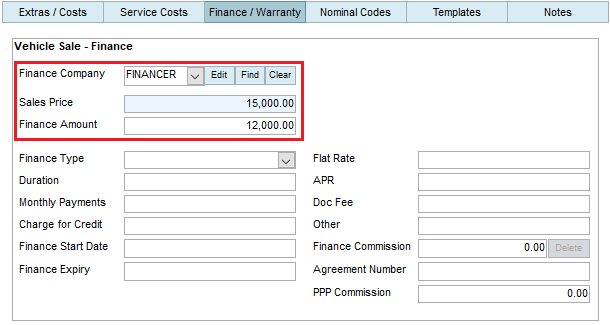
The rest of the information within the Finance section can be completed but it’s not mandatory, and will not impact anything on the Vehicle Sales Invoice.
By adding the Finance Expiry Date, you can the contact the Customer when their finance is due to finish and see if they are interested in purchasing another vehicle.
The Finance Commission can be updated at any point, even if the Vehicle Sales Invoice has been printed. If you Integrate to Sage, this information will also be posted to Sage.