
Dragon2000 are pleased to introduce our new AI Voice Attendant integration for DragonDMS, helping dealerships and garages capture more workshop bookings by making sure customer calls are answered, even when your team can’t get to the phone.
The AI attendant will capture the requirements of the caller, getting their name, vehicle details and description of work required. The caller will be presented with available dates, their preferred date/time will be sent to the dealer, and the caller will be advised that the dealer will contact them to confirm the booking.
System Setup
The AI attendant will use the hours available in your booking diary to offer availability to the caller, please ensure your booking diary is up to date. Standard Booking Diary hours can be edited by going to Settings > Service > Workshop Loading and editing the daily hours in the service bays.
If a day is marked on the Booking Diary as Locked, this date will not be offered.
Dealers with using the MOT Scheduler can select one of the MOT bays to be used by Scalevoice, only available MOT slots will be offered to callers. Go to Settings > Service > Workshop Loading > MOT Scheduler and select the MOT bay to use for Scalevoice.
What you see in DragonDMS
Booking Request
The dealer will receive an email notification when a booking request has been made, and the request will show within the Pending Booking list within DragonDMS.
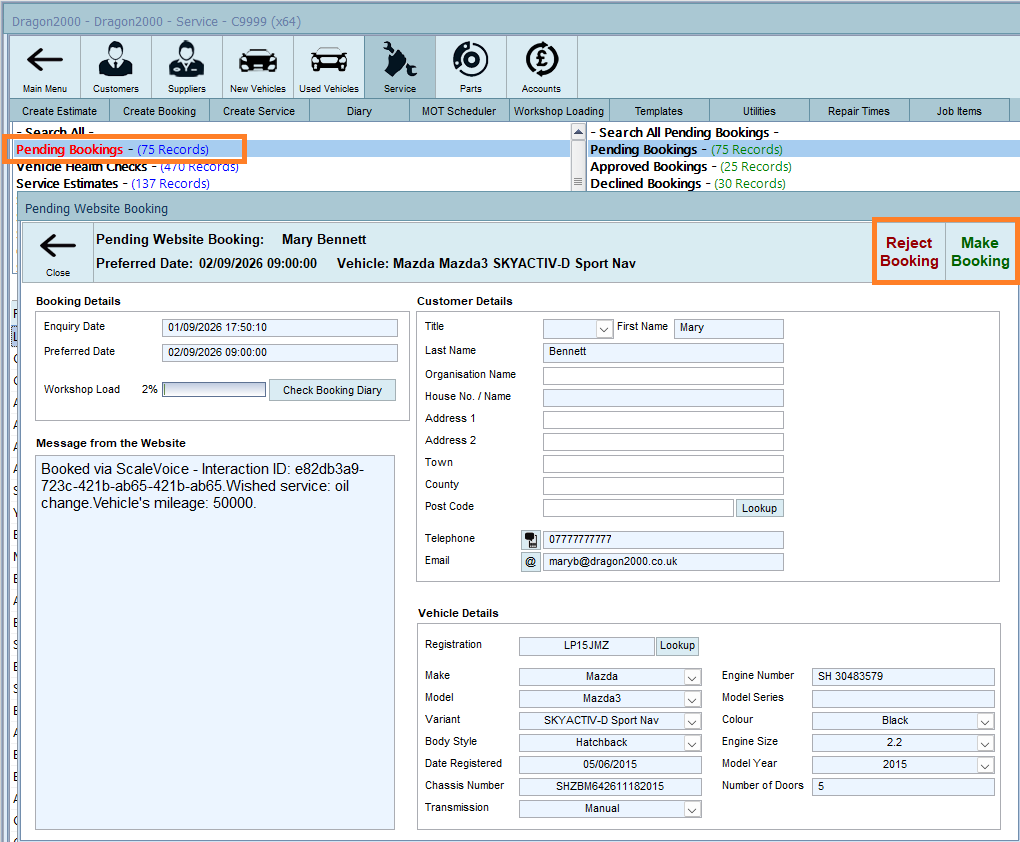
The pending booking will show the date of the enquiry and the customers preferred date/time, along with details of the type of booking they require. The InteractionID will be listed, allowing you to view or listen to the full call via your Scalevoice Portal.
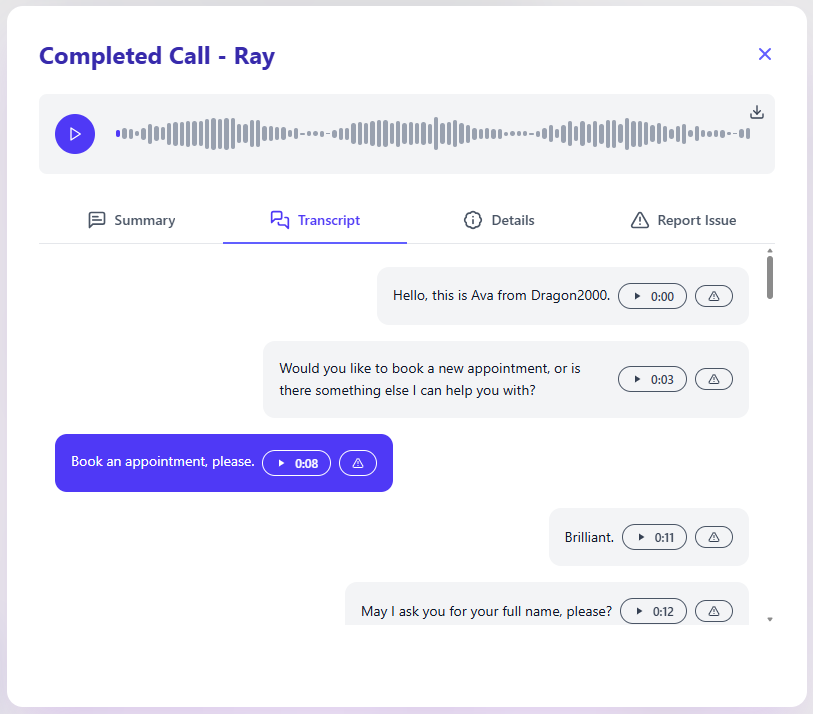
Confirm the booking
To confirm the booking click Make Booking, if the customer details match those of an exitisting customer record you will be presented with a list of possible matches.
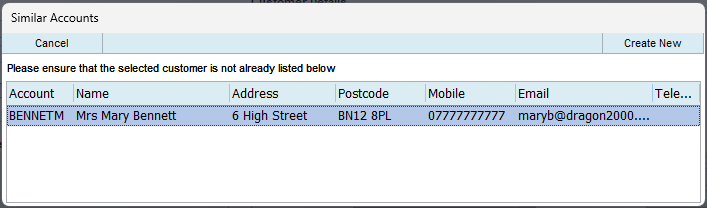
Either click on the matching account to use that existing account, or click on Create New to make a new customer account.
Add job times (Labour, parts, etc) to the booking, or enter the estimated hours. If there is a mobile number and you have the confirmation text option enabled, the customer will then receive a text message confirming the date and time of their booking when you click Confirm.
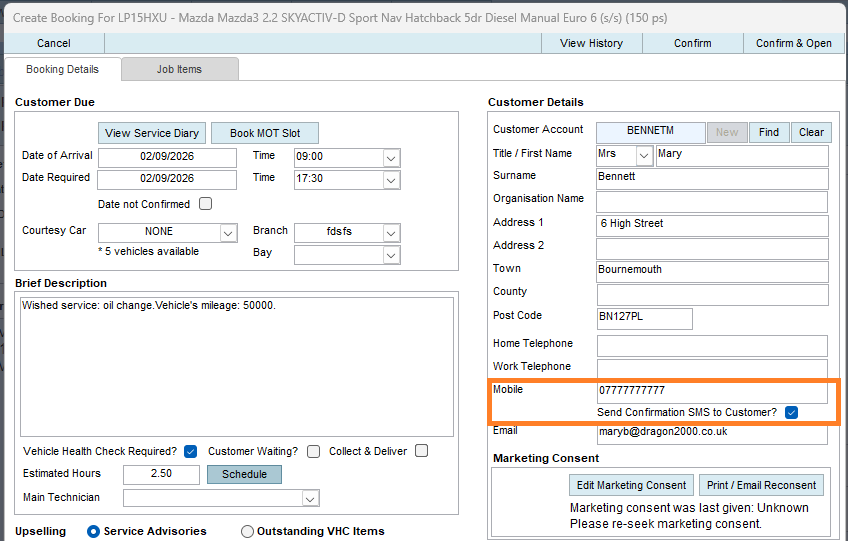
If you have setup automated text confirmation in your system this will be sent when the booking is confirmed.
Unable to accommodate their preferred date/time.
if you are unable to accommodate their preferred date/time contact the customer and agree on a suitable date and time, then follow the steps as above.
If you are interested in setting up AI Voice assistant, call our sales team on 01327 222 333 option 2.
MOT Bookings
Dealers with a linked MOT bay will be able to book customers for MOT’s directly into their MOT schedule diary. The AI attendant will offer your available MOT slots to callers and will confirm the booking to the caller when an available date and time has been requested.
The booking will be displayed within your list of Service Bookings. If you have automated text confirmation setup in your DragonDMS, the customer will receive the text as soon as the booking has been made.